Input
Your notes, audience, product context, competitors, objections and desired output format.
Runable Tutorials
The fastest way to judge Runable is not a random prompt. Build one small but real project: turn messy research notes into a usable brief, then decide whether the workflow is easier than your normal AI stack.
What You'll Build
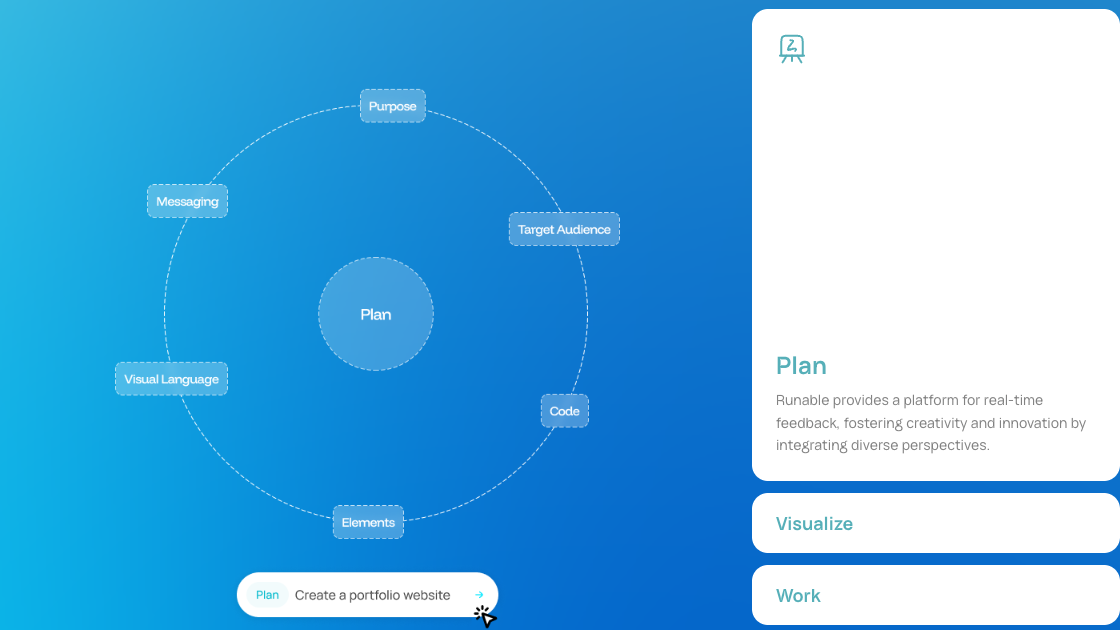
This tutorial builds a practical brief from scattered notes. That is a better first test than asking for a polished final asset, because it shows whether Runable can preserve context and create a structure you can reuse.
Your notes, audience, product context, competitors, objections and desired output format.
Runable organizes the notes into goals, key insights, risks, missing information and next actions.
A brief that can feed a landing page, article outline, client report or slide structure.
Before You Start
Runable works better when you give it real context. Before you start, collect the notes you would normally paste into ChatGPT, Claude, a doc and a slide outline. The goal is to see whether Runable reduces that tool switching.
Prompt pattern: Act as a workflow strategist. Turn these notes into a concise brief for [audience]. Include the goal, main insight, supporting evidence, objections, risks, missing information and the next three actions.
The easiest first project is not a public landing page, client proposal or finished presentation. Start with a research brief because it lets you inspect Runable's thinking before you ask for polished output.
| Beginner question | Practical answer | Next step |
|---|---|---|
| What should I do first? | Collect one messy set of notes from a real project and ask Runable to organize it. | Then follow the workflow guide to turn it into deliverables. |
| What is the easiest first project? | A research-to-brief project, because it shows context handling without risking a public final asset. | Use the brief to judge whether the pricing makes sense. |
| What mistake should I avoid? | Do not ask for a finished page from a vague prompt and then judge the whole product. | Fix the input before comparing alternatives. |
Mistakes I Made
My weakest Runable tests happened when I treated it like a magic publish button. When I asked for a finished page too early, the output was usable but too generic. The better pattern was to ask for a brief first, inspect the assumptions, then turn that brief into a page outline or slide structure. That extra step made the output feel much closer to something I could edit. If you are trying Runable for the first time, do not judge it from one broad prompt. Judge it from one workflow that has a clear input, midpoint and review step. The product felt much better once I gave it a job to move through, not just a thing to generate.
Step-by-Step Workflow
Use this sequence before judging the product. It tests planning, context handling, output structure and revision quality.
| Step | What to do | What to check |
|---|---|---|
| 1. Define the output | Ask for a research brief, not a final page. | Does Runable understand the audience and decision? |
| 2. Add source notes | Paste notes, examples, objections and constraints. | Does it separate facts from assumptions? |
| 3. Request structure | Ask for goal, insight, evidence, risks and next actions. | Is the structure useful enough to edit? |
| 4. Ask for a second artifact | Turn the brief into a landing page outline or slide plan. | Does the second output keep the same context? |
| 5. Review manually | Check facts, links, pricing, claims and positioning. | Would you publish or send this after editing? |
Runable is most useful when the task has a beginning, middle and next step. The value is not only the first answer. It is the ability to move from messy context to a structured draft without rebuilding the prompt from scratch. The full review explains why that matters for the buying decision.
Research briefs, landing page outlines, client summaries, presentation structures and content planning.
Vague creative requests, unsupported claims, final legal language, live pricing claims and anything that needs source verification.
Most bad first tests come from unclear inputs. If the first answer feels generic, fix the task before blaming the tool.
| Check | Fix before judging Runable |
|---|---|
| Asked for the final asset too early? | Start with a brief or outline so you can inspect the reasoning before polishing output. |
| Left out the audience? | Tell Runable who the output is for and what decision the reader needs to make. |
| Skipped constraints? | Add tone, length, claims to avoid, competitors, examples and source material. |
| Skipped manual review? | Verify facts, pricing, links and claims before publishing. |
| Used fake work? | Test a workflow you repeat every week, not a demo prompt. |
| Unsure whether the workflow is worth paying for? | Finish this tutorial, then check the pricing guide only if Runable saved time in more than one step. |
| Only need writing or chat? | Compare the alternatives before paying for a broader workflow tool. |
After the first answer, do not simply ask Runable to "make it better." Ask targeted follow-ups.
Revision prompt: Tighten the brief for [audience]. Remove unsupported claims, separate facts from assumptions, add missing objections, make the recommendation clearer and list what a human should verify before publishing.
Start with a research-to-brief project. It tests whether Runable can organize messy context before you ask it to create a public-facing asset.
Prepare the goal, audience, source notes, output format, examples, constraints and the standard you will use to judge the result.
No. Use it for structured drafts, then manually check facts, claims, pricing, links, positioning and final copy before publishing.
The most common mistake is giving Runable a vague request and then judging the product from a generic answer.
Compare it with your normal tool stack and measure whether it reduces handoffs, repeated prompting and cleanup time.
Tutorial Verdict
A tutorial works best when it mirrors work you already do. If Runable saves time across planning, drafting and cleanup, then the pricing decision becomes easier to make. For account, safety or alternative-tool questions, use the FAQ next.